Getting Started
This guide shows you how to access the public comment form from different entry points.
Submit a Public Comment from the Landing Page
External users can submit comments without logging into the system.
From the PRC main landing page, click the Submit New button located at the bottom-right corner of the screen.
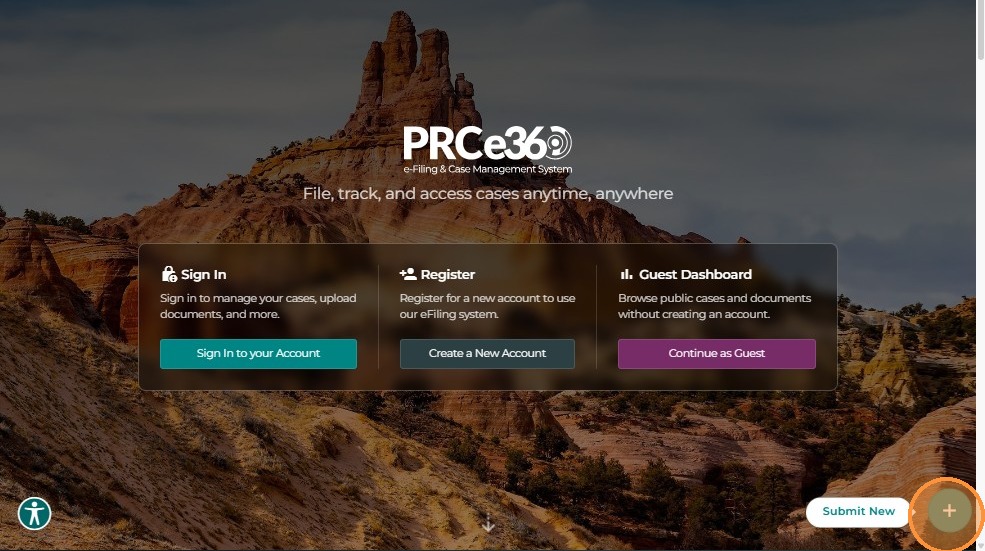 The system displays three options:
- File an Informal Complaint
- Submit a Rule Making Comment
- Submit a Public Comment
Select Submit a Public Comment to proceed.
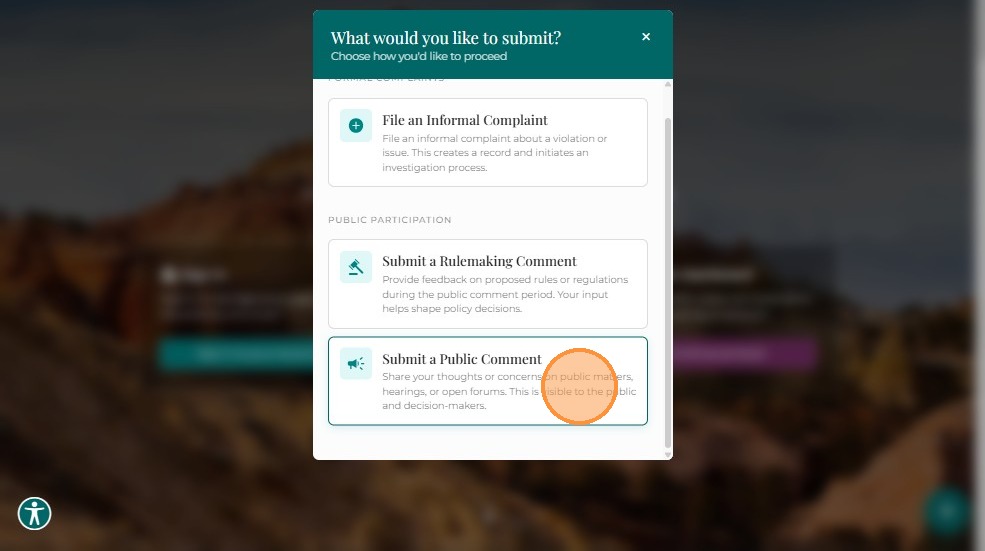
Note: Both registered (Tier 1 or Tier 2) and external users can submit comments using this method.
Create a Public Comment from the Dashboard
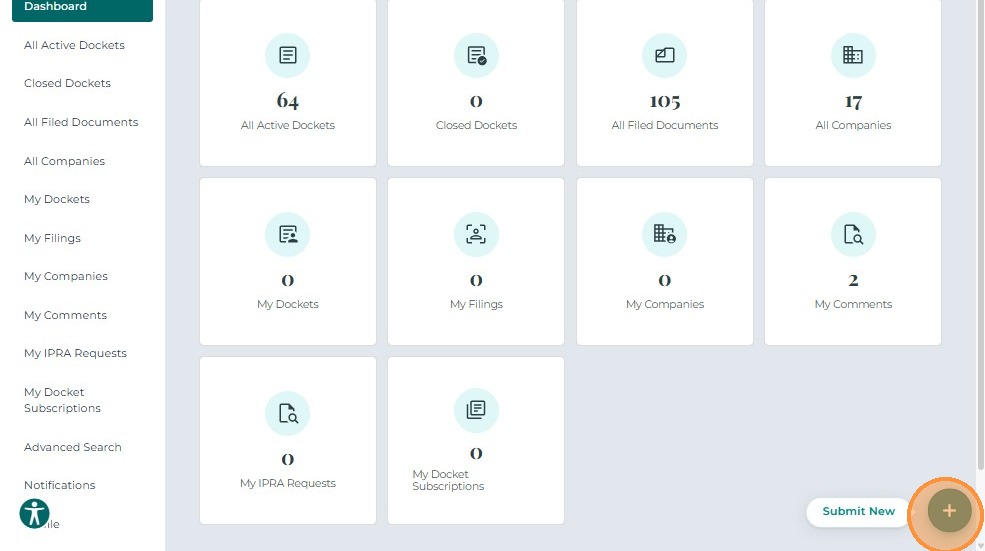
After logging in, Tier 1 or Tier 2 users can create comments directly from their dashboard.
- Click the Submit New button.
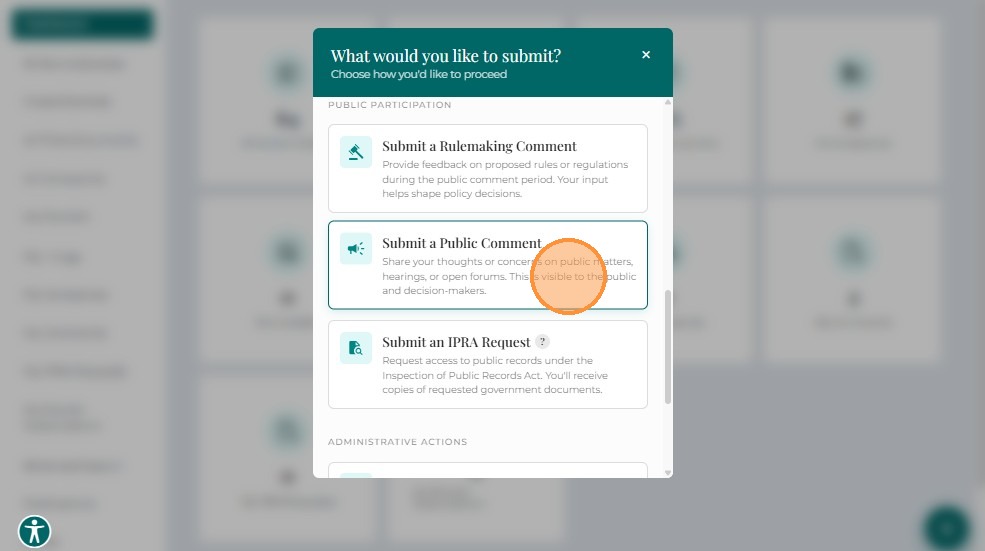
- Select Create New Public Comment.
The Create New Public Comment screen opens, allowing users to submit comments related to a specific Docket, company, or miscellaneous topic.
Next Steps
Once you've accessed the comment form, proceed to:
- Completing the Form - Fill out all required comment details
- Uploading Documents - Attach supporting files (optional)
- Submitting Your Comment - Submit your comment
Related Guides
- Create Public Comment - Overview - Introduction to public comments
- Dashboard Overview - Learn about the dashboard